MOBILE TOOLS FOR FIELD SUPERVISORS
Giving field supervisors tools that go with them

Role

Sole Designer on Mobile

Scope

Field research, product strategy, interaction design, MVP definition

Timeline

Initial research and design over 6 months, ongoing iteration over 2+ years

Team

Product Manager, Engineering team, Customer Engineers (field support)

Tools

Figma, FigJam, Claude Code with Figma MCP

Stakeholders

7 transit agencies, agency operations leadership, internal product and engineering

TL;DR
Agencies need incident records that are fast and accurate. Supervisors were writing them on paper and re-typing them at the office, creating errors safety teams spent hours fixing. I designed a mobile form that captures incidents at the scene: start anywhere so nothing is lost while the scene unfolds, and auto-fill what the system knows so records are right the first time. I made the case to ship it before dispatcher delegation, and the mobile tools helped win a new agency purchase.
01 · The gap

Incidents were captured late, and captured twice

For twenty years, the platform was built for dispatchers in operations centers. Field supervisors outnumbered them two or three to one, and handled incidents, detours, and disruptions on the ground with radios and notepads. Nobody at the company had watched them work. I started with deep field research at 3 transit agencies plus 5 remote supervisor interviews; over the project, 7 agencies opened their operations to observation.
In St. Louis, a supervisor documented an incident with a pen while a ruggedized tablet sat unused in his truck.
He started with whoever was about to leave: a witness, a second driver, a changing scene for photos. Every incident began somewhere different. Back at the office he re-typed everything, including the vehicle, operator, and route the system already knew. He'd stopped using the tablet after it lost his completed reports.
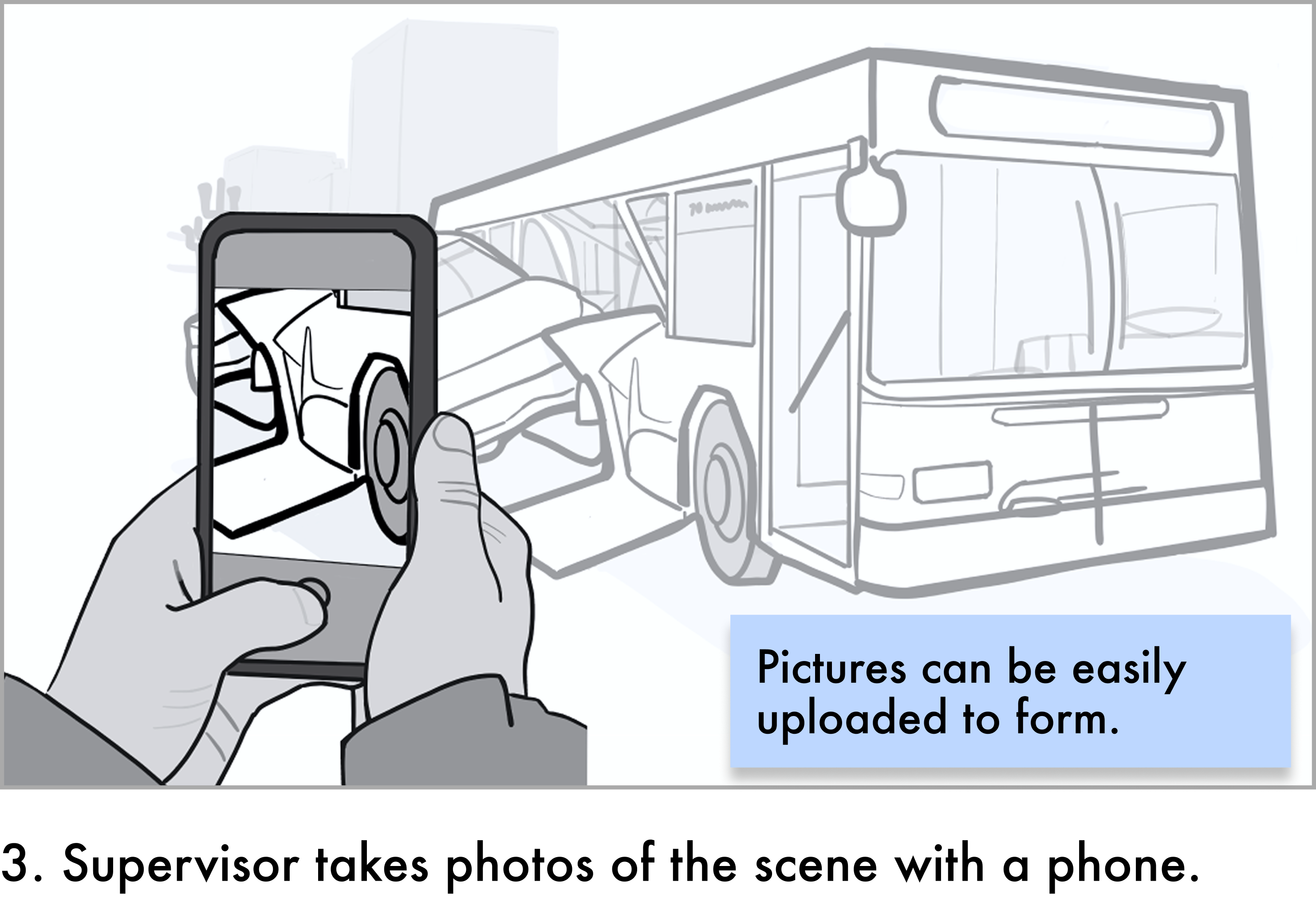
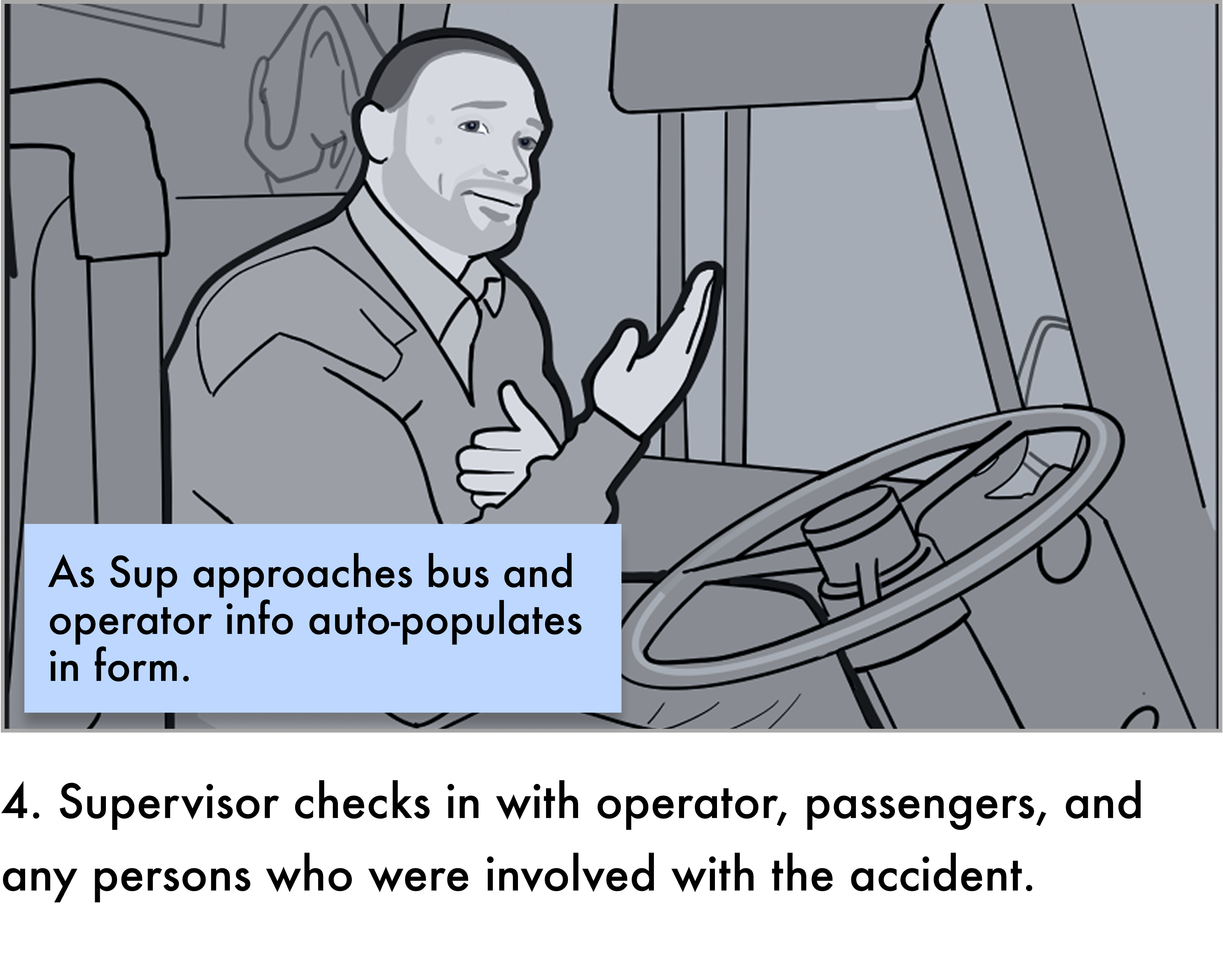
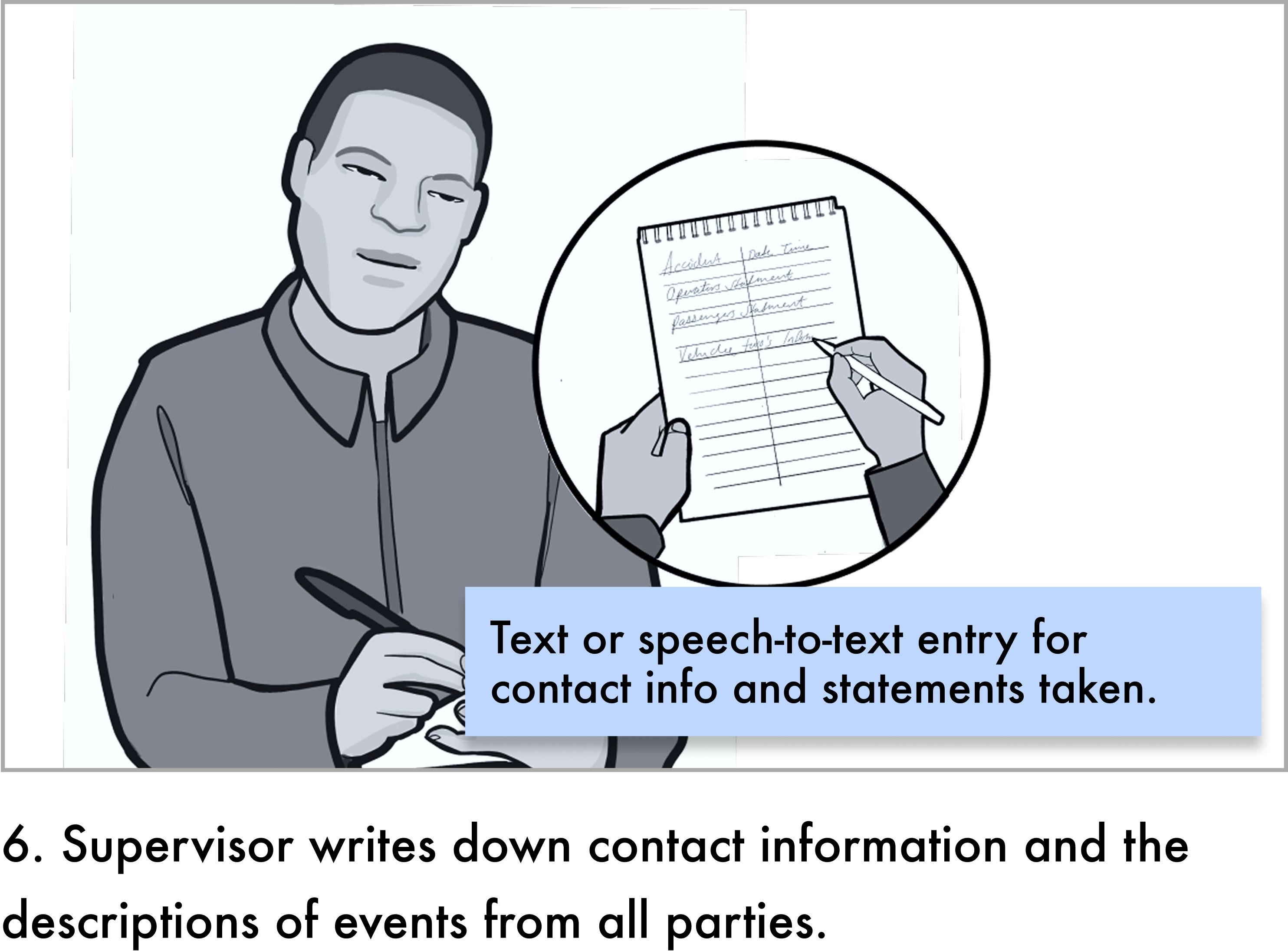
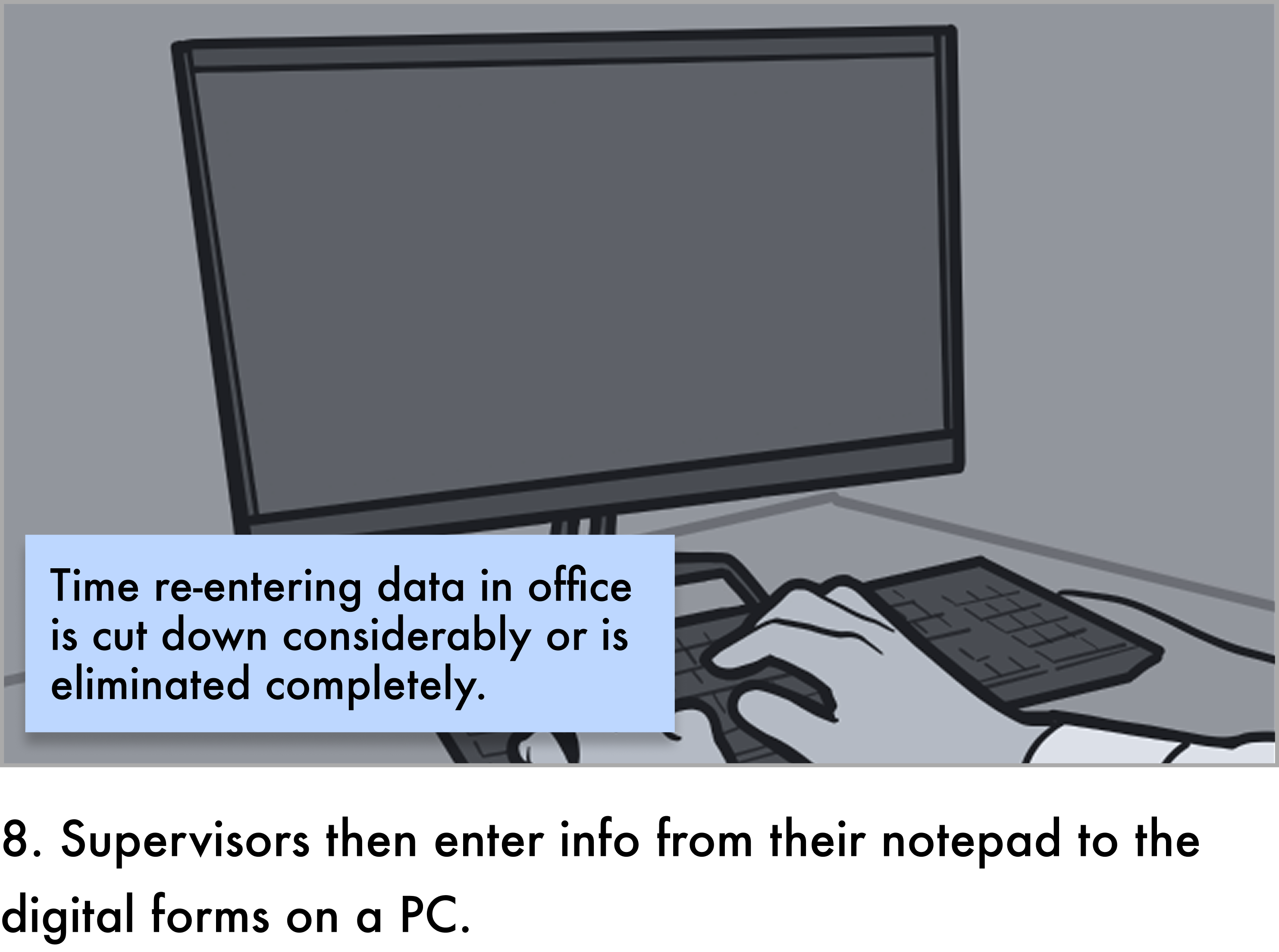
Storyboard panel 3: the supervisor photographs the accident scene with a phoneStoryboard panel 4: the supervisor checks in with the operator, passengers, and others involvedStoryboard panel 6: the supervisor writes down contact information and statements on a notepadStoryboard panel 8: back at the office, the supervisor types notes from the notepad into a PC
From my storyboard of the incident response I observed: captured at the scene on paper, then captured again at the office.

02 · The pivot

Tools before tasks

The roadmap led with a task queue so dispatchers could delegate work to supervisors through the app. The PM pushed for it: his focus was taking work off dispatchers' plates, and that pain was real.
I argued that delegation only works if the person receiving the task has a tool to do it with. Supervisors would still be calling back, writing on paper, and re-entering at the office. We talked it through, and he agreed to re-sequence: incident reporting first, detours next, delegation once supervisors were actually using the app.
The supervisor needs a tool to use before they can be handed a task.
Planned
Task queue #1
→
Daily log
→
Quick detour
→
Incident forms
After field research
Incident forms
→
Quick detour
→
Comms
→
Playback
···
Task queue backlog
No customer needed delegation first. Supervisors needed tools. A later agency's request for comms and playback pushed the queue all the way to the backlog.
03 · What shipped

Fast at the scene, accurate by default

The agency goal was simple: capture incidents quickly and accurately. Paper forms ran top to bottom, but incidents don't. Two decisions served that goal.
Quick · Start anywhere
Details, Comments, and Photos became persistent tabs: entry points, not steps. If the witness is leaving, go to Comments. If the scene is changing, go to Photos. Structured selections and speech-to-text replaced free text, and every field saves as you go, so jumping around never loses work.
Accurate · Don't re-enter what the system knows
Supervisors were hand-typing data the onboard system already had. Errors were common, and each one cost the safety and investigation teams hours to correct. Now one vehicle selection fills in the operator, route, block, fleet type, and the supervisor's own identity.
The one fixed step. To keep auto-fill fast, engineering needed form type and vehicle selected first, before the form opened. That became the only required order: one quick choice up front, then the supervisor can go anywhere.
Built within Telerik. Production had to use the existing Telerik component library, which limited styling and meant boxed dropdowns. The flexibility had to come from structure, tabs, grouping, and auto-fill, not custom components.
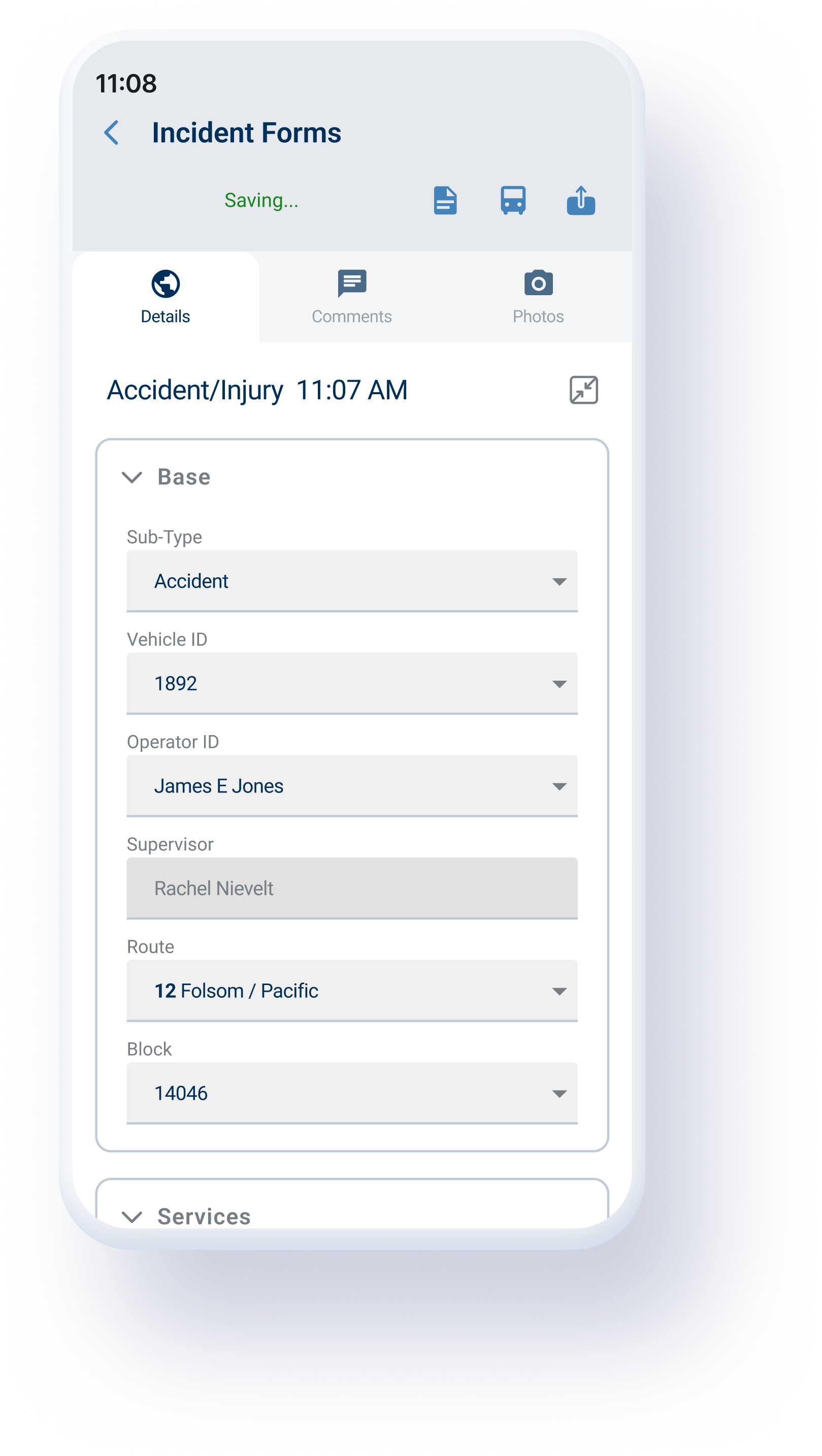
Shipped incident form with Details, Comments, and Photos tabs and auto-filled vehicle, operator, route, and block
What shipped: tabs as entry points. One vehicle selection auto-fills the operator, supervisor, route, and block.
50%+
Less correction work. Auto-filled records save safety and investigation teams hours to days per investigation.
Entered once, not twice. Supervisors record incidents on the phone at the scene, instead of on paper and again at the office.
04 · Detours

The same principle, applied to authoring

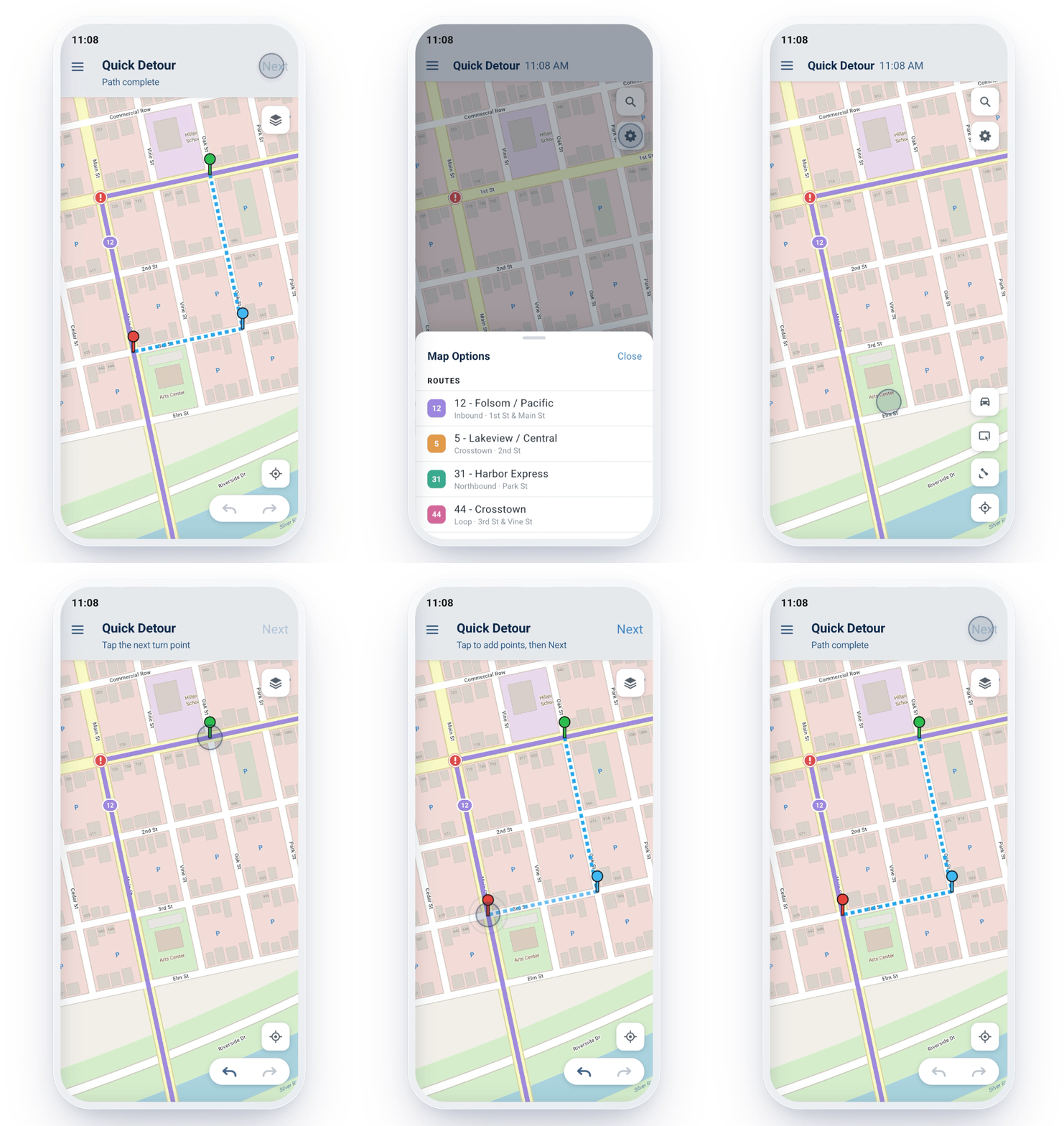
Once incident reporting shipped, the pilot agency in Reno asked for detour authoring next, the order the re-sequenced roadmap predicted. Supervisors verified detours in the field but had to radio route descriptions to dispatchers, who typed them in. I designed two ways to start from wherever the supervisor is: drive-to-create, where GPS captures the path as they drive it, and tap-to-create, where they tap stops and turns on the map. Both support alternate stops so riders are still served.
The backend wasn't built for mobile authoring, so I scoped the MVP with engineering and documented predictive routing as a future enhancement, not a cut.
Animated demo of creating a detour by tapping points on a map
Tap-to-create: the supervisor sketches the detour directly on the map.
05 · Outcomes

Faster capture, cleaner records

Supervisors
Incidents documented at the scene instead of on paper and again at the office. Detours authored on the map instead of relayed by radio.
Safety and investigations
Auto-filled records removed a common source of errors, cutting correction and double-entry work at least in half.
Business
One new agency purchased after seeing the mobile tools, and four more began evaluating it, including one considering it to replace customer care workstations.
The team
Contextual inquiry became part of how product decisions get made, and the save and persistence standards set on mobile carried back to the desktop product.
Quick and accurate came from the same move: capture at the scene, in whatever order the scene demands.
06 · Revisiting it now

What the form looks like without the component library

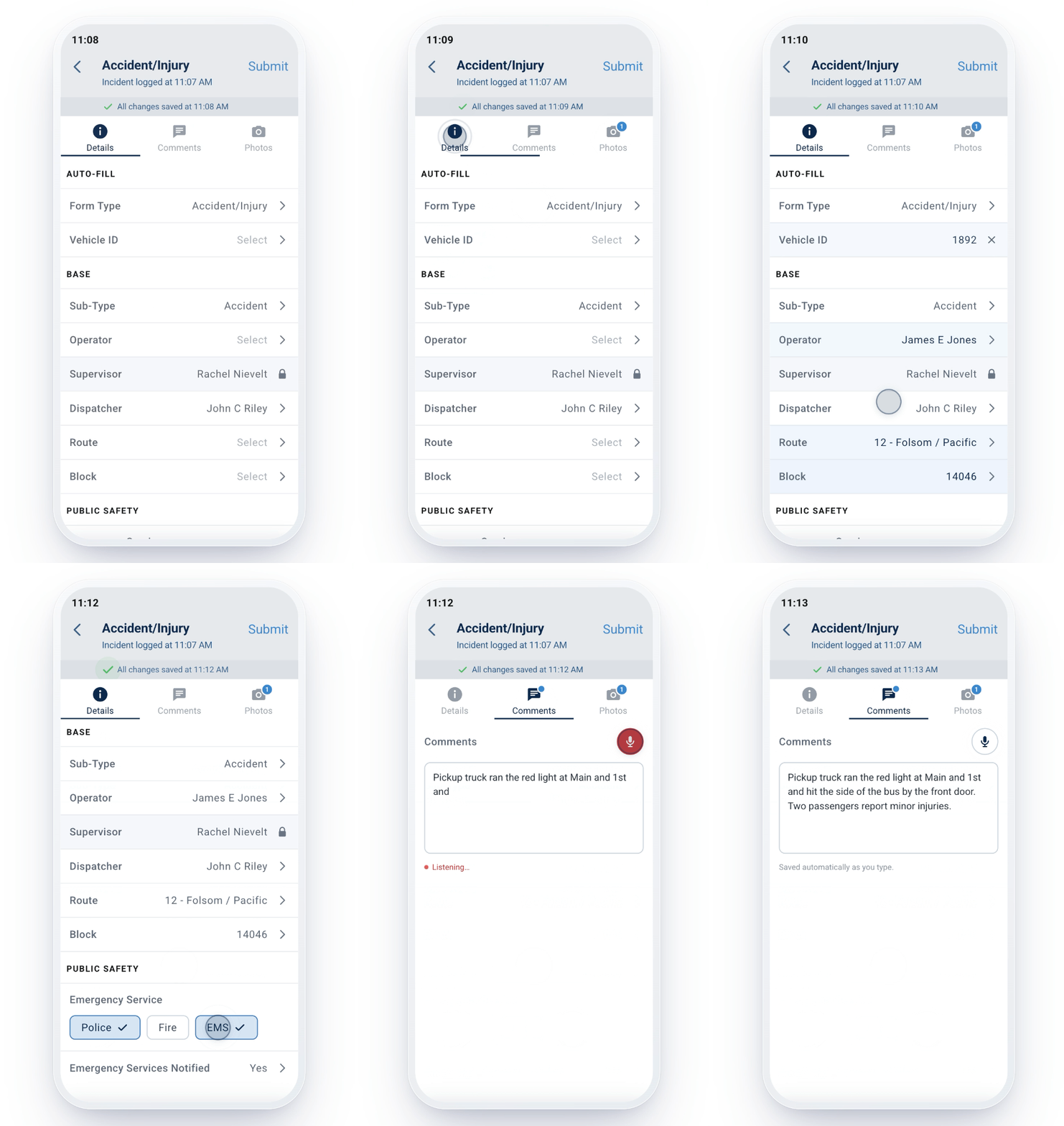
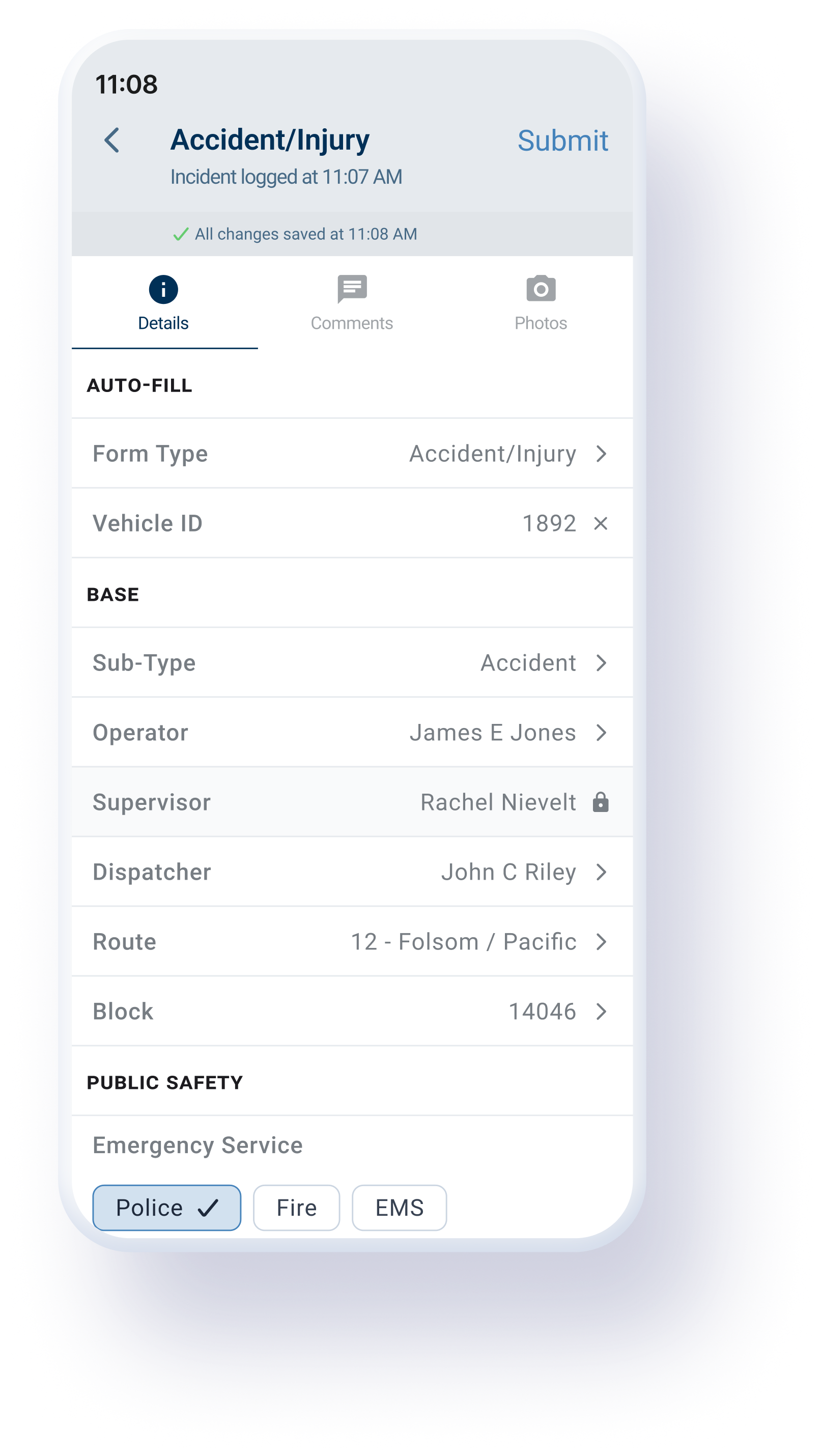
Free of Telerik's limits, I pushed the same two ideas further. Every field became a full-row tap target, so supervisors can jump straight to any field, not just any tab. Read-only auto-filled fields show a lock. Filter chips replaced multi-select dropdowns for emergency services, so selection state is always visible. The transient "Saving..." message became a persistent "All changes saved at 11:08."
Shipped incident form built with Telerik boxed dropdowns
Shipped, within Telerik: boxed dropdowns.
Refined incident form with full-row list items, a lock on the auto-filled supervisor, emergency service chips, and a persistent saved timestamp
Refined: every row is a direct entry point.
Static screens couldn't show how jumping between fields felt, so I built a working prototype with Claude Code and the Figma MCP. Concept to a reviewable demo in two working sessions.
07 · What I'd do differently

Measure before you ship

Capture baselines before launch. I knew errors were common and costly, but measuring time-to-document and correction hours up front would have turned "at least half" into an exact number.